

There are several convenient ways to create a new folder in Bookmer, depending on your preferred workflow:
1. Using the Search Bar (+ Icon)
The easiest method:
Go to the search bar at the top right.
Click the plus (+) icon.
A popup will appear — instead of adding a URL, scroll down and click “Add New Folder.”

As soon as you enter a folder name, the folder will be created.

2. Right-Click on the Workspace
You can also:
Right-click anywhere in the workspace area.
Select “Add Folder” from the context menu.
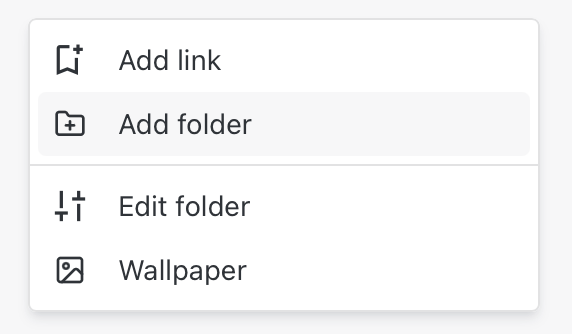
3. Keyboard Shortcut: Press “+”
For power users or those who prefer speed:
Simply press the “+” key on your keyboard.
This will open the popup window directly, where you can quickly create a new folder.
Tip: All methods lead to the same result — just choose the one that fits your flow best.