

One of the core features of Bookmer is the ability to share folders (collections) with others — whether publicly, privately, or through branded links.
How to Share a Folder
You can share a collection in two ways:
From within the Folder Editor, click the Share button
Or use the context menu next to the folder and choose “Publish”
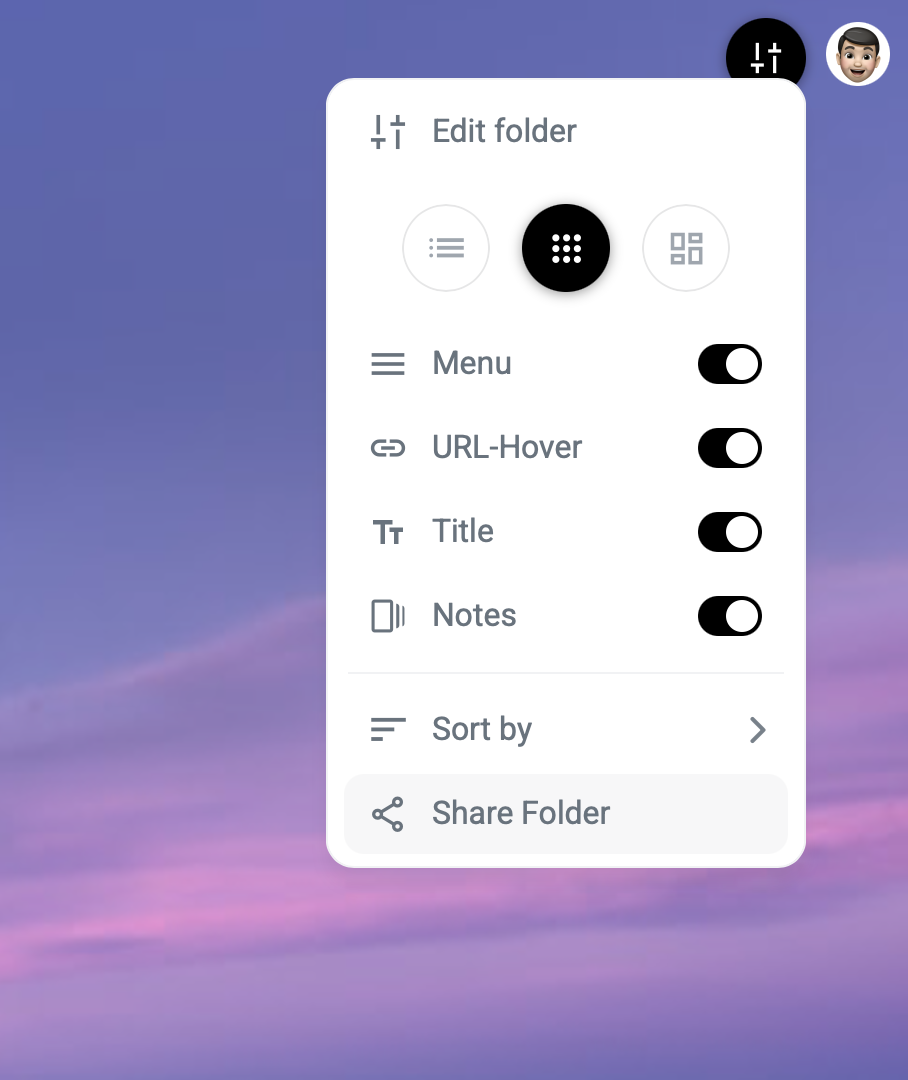
Once activated, Bookmer will generate a short link, perfect for sharing via:
Social media
Email
Chat platforms
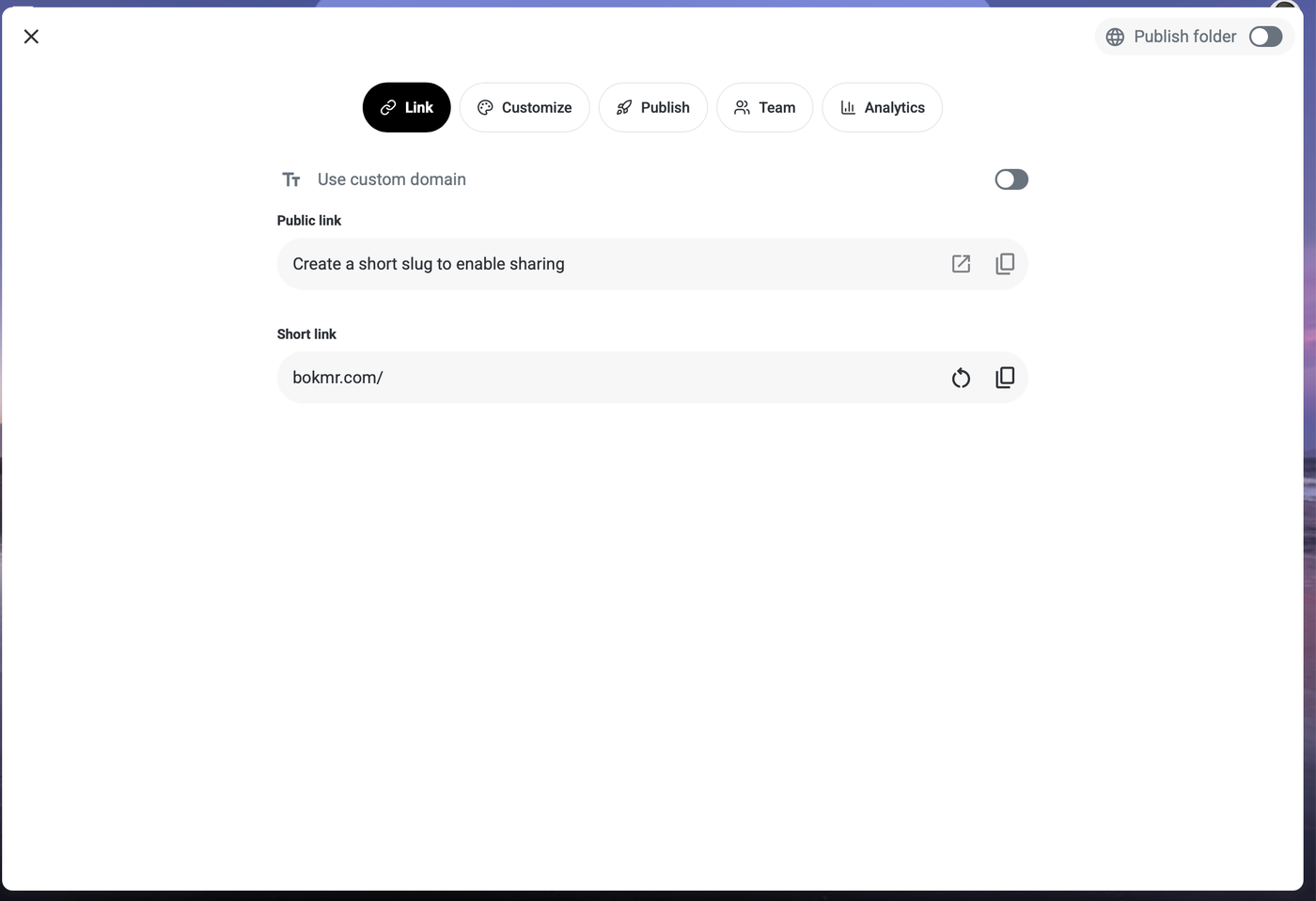
Customizing Your Shared Collection
When you publish a collection, you gain access to several customization options:
Custom Short URL
A shortened link is created by default.
You can also set a custom URL slug (e.g. bookmer.com/user/tools2025).
Your username becomes part of the public link — and it can be edited always.
For full domain control, use the Custom Domain feature instead.
Profile Picture
Add a profile image for your shared collection.
This doesn’t have to be your personal profile — it can be any image relevant to the content.
Upload your own or choose from available options.
Description
Add a title and description to give context to your collection.
The description appears on the shared page and is also SEO-friendly, helping people discover your content via search engines.
Custom Wallpapers
Set a unique wallpaper for the shared collection.
You can specify separate images for Light Mode and Dark Mode.
This allows you to define a consistent brand experience and visual identity.
Why Share with Bookmer?
Instant distribution of curated links and resources
Public or private access — you decide
Full control over appearance and metadata
Built-in SEO features for reach and visibility
Supports branding with custom images, colors, and domains
Tip: Shared collections are perfect for portfolios, curated tools, reading lists, onboarding guides, or collaborative workspaces.